 EmptyMind
What if I miss a day?
A scheduled day left incomplete resets your current habit streak after that day ends. Today stays open until the day ends; an unscheduled day does not break the streak. Your saved check-ins remain in the entry.
Make room for a reading session, a walk, or a little writing. EmptyMind helps you record practice on the days you choose, with simple check-ins and a calm browser workspace.
5 entries shared across habits and days-since counters. Account required to save and sync. No credit card required.
A small minimum and a specific schedule make it clear what you are recording. This fictional example works just as well for writing or another recurring practice.
Create a Habit Tracker called “Read for ten minutes.” Pick the date you want to begin.
Select Custom, then Monday, Wednesday, and Friday. Or choose Every day or Weekdays if that fits better.
On a scheduled day, select the check in Focus to mark today complete. Select it again to undo a mistake.
Use Focus on your phone or computer. On wider screens, switch to Grid for a timeline of your entries.
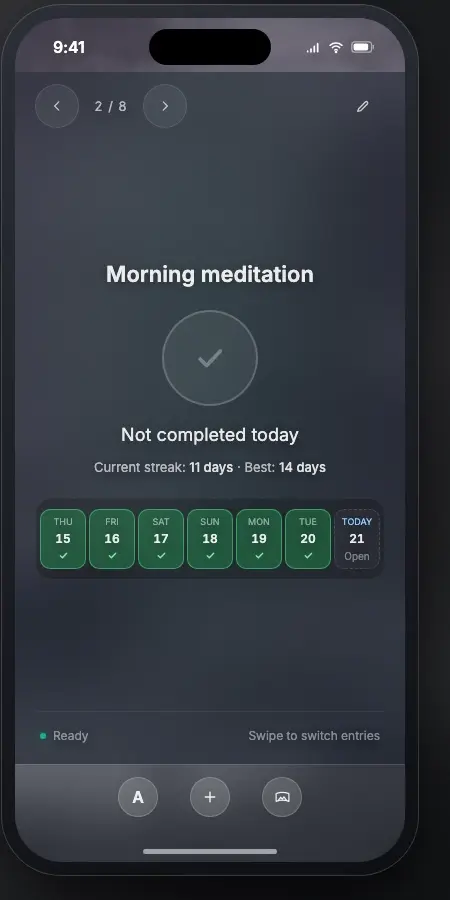
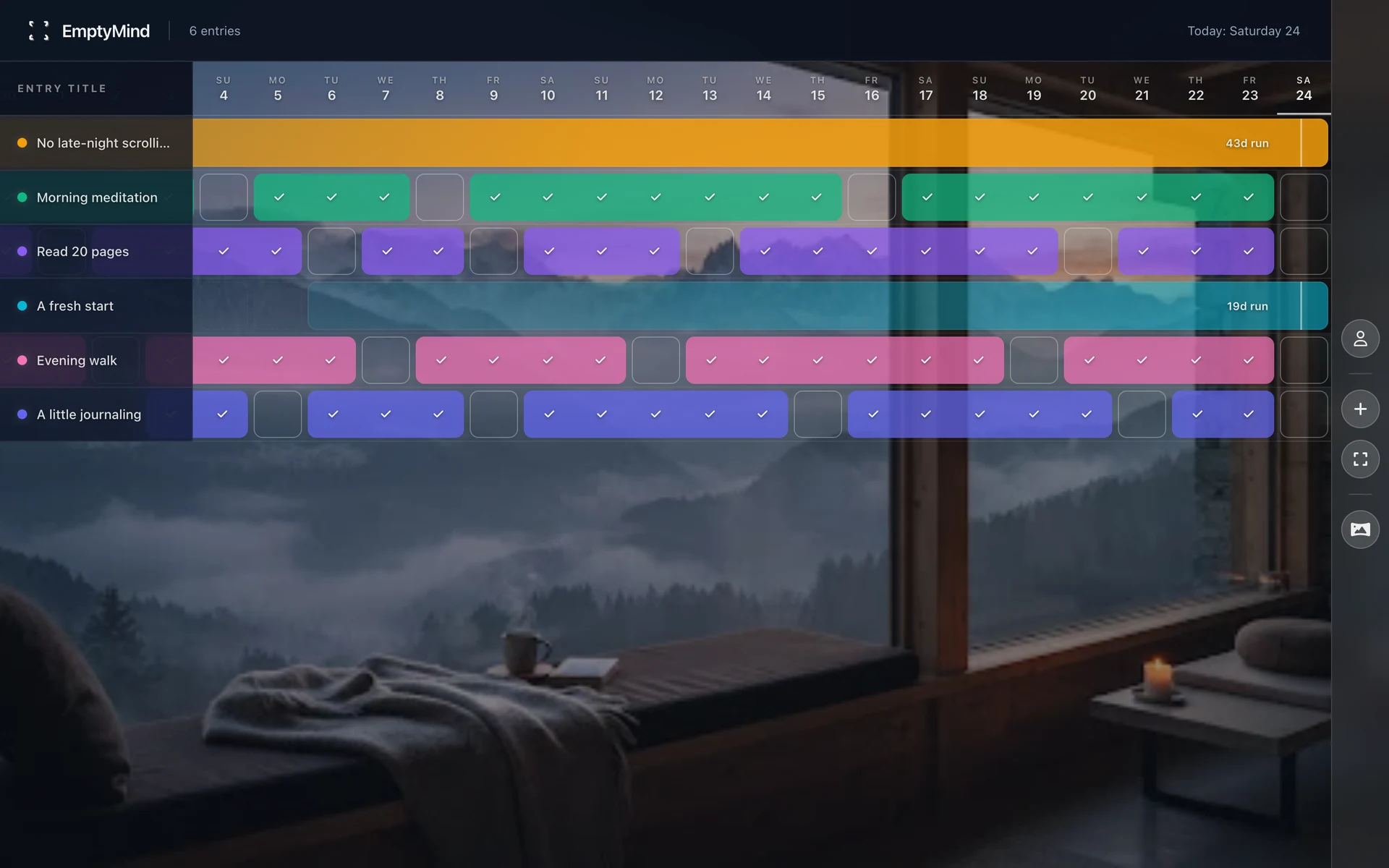
Focus shows today’s action, current and best streaks, and a read-only recent-week strip. In desktop Grid, select an eligible past or present scheduled day to record or undo a completion.
Open an entry to edit its title or schedule and see history summaries. An edit does not create a second entry.
A scheduled day left incomplete resets your current habit streak after that day ends. Today stays open until the day ends; an unscheduled day does not break the streak. Your saved check-ins remain in the entry.
Undo today’s check in Focus. For earlier scheduled days, use Grid on a wider screen. The seven-day strip in Focus is a summary, not an editing control.
EmptyMind does not send habit reminders. Return when your routine calls for it. Your account saves and syncs entries across signed-in browsers.
A habit records recurring practice. A days-since counter measures elapsed calendar days from a date or recorded break. You can keep both types in the same workspace.
Start free with five entries shared across habits and counters. Account required to save and sync. Premium is coming soon; payments are not available yet.