 EmptyMind
Your starting day is zero.
An April 1 start shows 0 on April 1, 1 on April 2, and 14 on April 15. It counts calendar-date changes, not completed blocks of 24 hours.
Follow the days since a milestone or the beginning of a change. EmptyMind puts your days-since counters beside your habits, in a calm workspace that opens in your browser.
5 entries shared across counters and habits. Account required to save and sync. No credit card required.
The main number in Focus is the difference between today’s local calendar date and your starting date, or your latest recorded break.
An April 1 start shows 0 on April 1, 1 on April 2, and 14 on April 15. It counts calendar-date changes, not completed blocks of 24 hours.
The browser’s local date determines today. The count can change at local midnight, and browsers in different time zones can show different dates around midnight.
Desktop Grid also shows inclusive run-length statistics. Those include the starting day, so a run label can differ from the elapsed-day number in Focus. They are two different ways of describing the same dates.
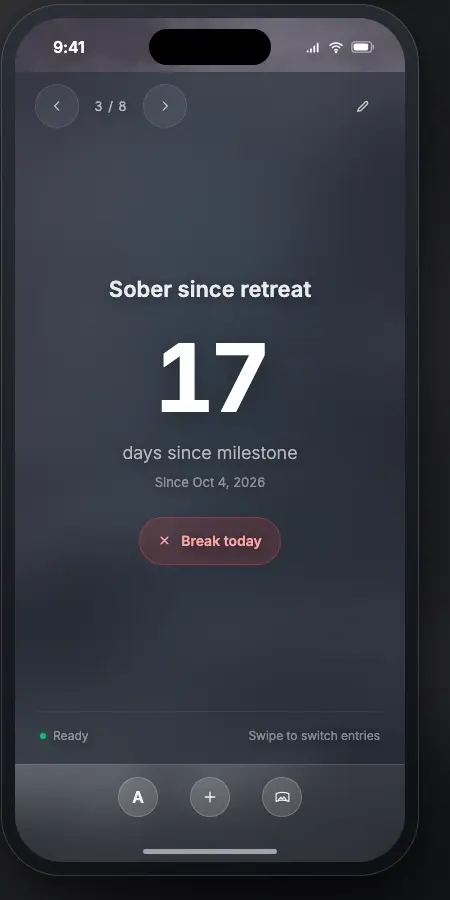
After saving a counter, open it in Focus to see the elapsed-day result. You do not need to mark every day complete.
Use “Break today” only if something happened that should restart the count. For a milestone you simply want to remember, leave the counter running.
On wider screens, Grid lets you see counters and recurring habits together. Your account syncs them across signed-in browsers.
A break on April 10 makes April 10 the new anchor. Focus shows 0 that day and 5 on April 15. Your original starting date remains part of the saved entry.
In Focus, choose “Undo today’s break” to remove today’s break and restore the previous anchor. Desktop Grid lets you toggle eligible past or present break days in the timeline.
Open the entry editor to see history summaries based on its saved dates and breaks. These are summaries, not an exportable ledger. Deleting an entry removes its history too.
Use a counter for elapsed time since a date, such as the start of a new routine. It advances with the calendar. Recording a break restarts it.
Use a habit for recurring completions, such as reading on Monday, Wednesday, and Friday. It has a weekday schedule and check-ins, rather than one continuously advancing number.
Create an account, choose Days Since, name your counter, and select a starting date up to today. Save it, then open Focus to see your result.
Free includes five entries shared across habits and counters. Premium is coming soon; payments are not available yet.